
Dengan Amazon S3 bucket policies, Anda dapat mengamankan akses ke object dalam bucket Anda, sehingga hanya pengguna dengan pemissions yang sesuai yang dapat mengaksesnya
Tutorial ini sama seperti post sebelumnya. Cuma bedanya Bucket policy ditulis dalam JSON
Edit bucket policy melalui Console Amazon S3
- Sign in ke AWS Management Console lalu buka Console S3
- Pilih bucket
- Pilih Permissions tab
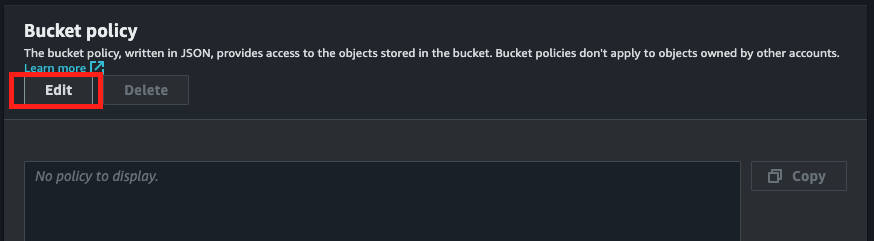
- Pada Bucket policy klik tombol Edit
- Klik Add new statement
Anda bisa menggunakan Policy Generator apabila ingin tau Action apa saja yang dapat digunakan
Namun saya contohkan secara ringkas saja
1
2
3
4
5
6
7
8
9
10
11
12
13
14
15
16
17
18
19
20
21
22
23
24
25
26
27
{
    "Version": "2012-10-17",
    "Statement": [
        {
            "Sid": "AddPublicReadCannedAcl",
            "Effect": "Allow",
            "Principal": {
                "AWS": [
                    "arn:aws:iam::111122223333:root",
                    "arn:aws:iam::444455556666:root"
                ]
            },
            "Action": [
                "s3:PutObject",
                "s3:PutObjectAcl"
            ],
            "Resource": "arn:aws:s3:::DOC-EXAMPLE-BUCKET/*",
            "Condition": {
                "StringEquals": {
                    "s3:x-amz-acl": [
                        "public-read"
                    ]
                }
            }
        }
    ]
}
- Effect - Efek dari action yang ditentukan. set ke Allow atau Deny
- Principal - Akun Pengguna
- Action - Untuk mengindentifikasi resource yang di Allow atau Deny
- Resource - Menentukan Buckets, objects, access points, dan jobs yang di Allow atau Deny
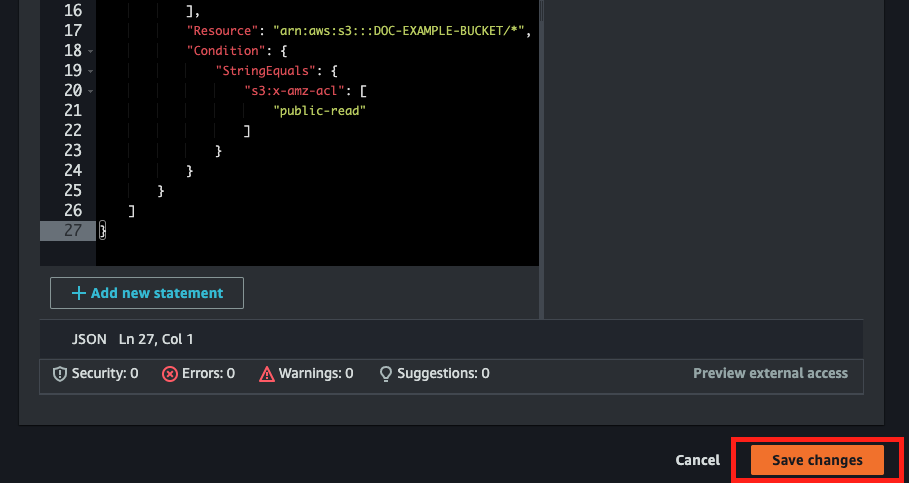
- Jika sudah edit terakhir Save Change
Edit bucket policy dengan AWS CLI
1
aws s3api put-bucket-policy --bucket MyBucket --policy file://policy.json
Isi dari file policy.json misal seperti berikut
1
2
3
4
5
6
7
8
9
10
11
12
13
{
  "Statement": [
    {
      "Action": [
        "s3:GetObject"
      ],
      "Effect": "Allow",
      "Resource": "arn:aws:s3:::MyBucket/*",
      "Principal": "*"
    }
  ]
}
Untuk cek bucket policy
$ aws s3api get-bucket-policy --bucket MyBucket
{ "Policy":
    "{\"Version\":\"2008-10-17\",\"Statement\":[{\"Effect\":\"Allow\",\"Principal\":\"*\",\"Action\":\"s3:GetObject\",\"Resource\":\"arn:aws:s3:::MyBucket/*\"}]}"
}

$ aws s3api get-bucket-policy-status --bucket MyBucket
{
    "PolicyStatus": {
        "IsPublic": true
    }
}
Untuk delete bucket policy
1
aws s3api delete-bucket-policy --bucket MyBucket