
Issue
Saat install app di webuzo mengalami stuck atau progress yang berhenti pada 95% saja dalam waktu yang lebih lama. Tutorial kali ini mengambil contoh saat install PHP 5.6
Apabila dicek menggunakan command ps -auxwwf menemukan proses yang stuck saat menjalankan wget seperti berikut.
webuzo    163910  0.0  0.0   2608   528 ?        S    18:04   0:00  |   \_ sh -c /usr/local/webuzo/bin/webuzo 'DlXTDJMXXXXX' 'installapp' 'WzEyXXXXX'
root      163911  0.0  0.9 173092 36608 ?        S    18:04   0:03  |       \_ /usr/local/emps/bin/php -d auto_prepend_file=none -d auto_append_file=none -d disable_functions="" /usr/local/webuzo/includes/webuzo.php DlXTDJMXXXXX installapp WzEyXXXXX
root      167253  0.0  0.0   2608   592 ?        S    18:16   0:00  |           \_ sh -c wget -O "/var/softaculous/apps/php56.zip"  "https://s3.softaculous.com/a/webuzo/giveapp.php?appid=124&arch=x86_64&tree=1&webuzo_version=3.7.9&license=webuzo-XXX-XXX-XXX-XXX&unique=&panel=webuzo&is_vps=0&env=&soft_email=&cur_php=7.4.19&domains=2&users=1&dbs=3"
Kemungkinan hal ini disebabkan karena koneksi yang sempat terputus saat proses wget atau koneksi yang tidak stabil sehingga menyebabkan proses download berjalan lama bahkan berhenti.
Resolution
Anda dapat copy command wget lalu mencoba download file archive secara manual di server yang sama atau server lain yang memungkinan proses download yang lebih cepat.
1
wget -O "/root/php56.zip"  "https://s3.softaculous.com/a/webuzo/giveapp.php?appid=124&arch=x86_64&tree=1&webuzo_version=3.7.9&license=webuzo-XXX-XXX-XXX-XXX&unique=&panel=webuzo&is_vps=0&env=&soft_email=&cur_php=7.4.19&domains=2&users=1&dbs=3"
Apabila download terasa lambat, Anda bisa beralih ke repo lain. Untuk cek repo yang tersedia ada pada file /usr/local/webuzo/universal.php
$globals['mirrors_by_speed'] = array (
  0 => 'https://s4.softaculous.com/a/softaculous',
  1 => 'https://s2.softaculous.com/a/softaculous',
  2 => 'https://s3.softaculous.com/a/softaculous',
  3 => 'https://s0.softaculous.com/a/softaculous',
  4 => 'https://s5.softaculous.com/a/softaculous',
  5 => 'https://s1.softaculous.com/a/softaculous',
  6 => 'https://s7.softaculous.com/a/softaculous',
 // 7 => 'https://s6.softaculous.com/a/softaculous' > unassigned
);
Setelah file berhasil didownload. Selanjutnya copy file ke tujuan /var/softaculous/apps/ dan kill pid proses agar proses download dibatalkan dan di skip ke proses extract
1
kill -9 167253
Jalankan command ps -auxwwf seharusnya proses akan berubah seperti berikut.
root      203890  0.0  0.0   2608   596 ?        S    20:32   0:00  |           \_ sh -c cd '/usr/local/apps'; tar -zxf '/var/softaculous/apps/php56/php56-x86_64.tar.gz'
root      203891 18.5  0.0   3888   932 ?        S    20:32   0:00  |               \_ tar -zxf /var/softaculous/apps/php56/php56-x86_64.tar.gz
Terakhir Anda dapat melihat progressnya akan langsung berhasil.
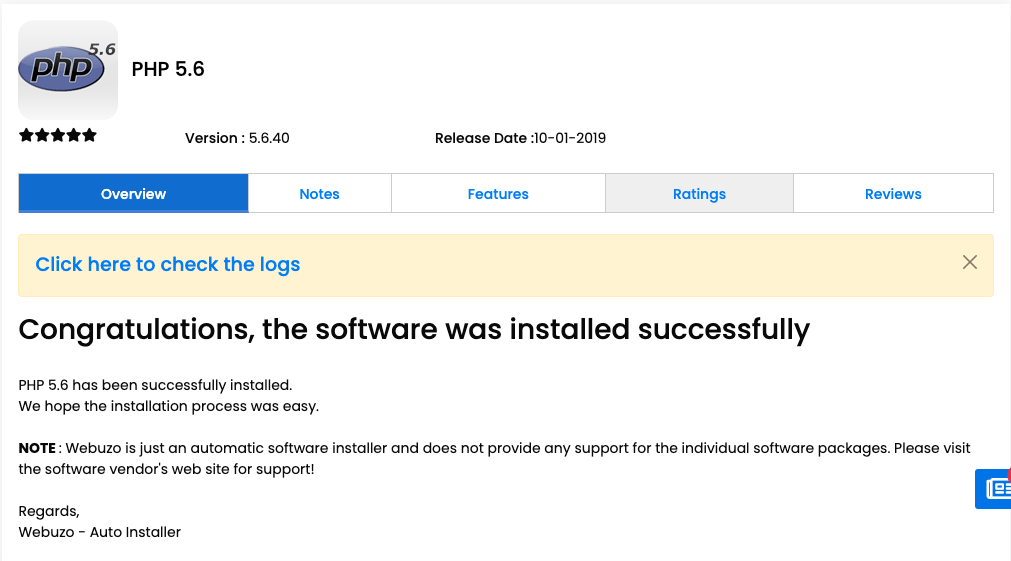
Alternatif 1
Untuk cara lain anda dapat langsung kill proses wget sehingga proses instalasi gagal.
The following errors were found :
* There was an error extracting the package - - PHP 5.6 - php56-x86_64.tar.gz
Lalu download manual file archive dan extract ke /var/softaculous/apps
1
unzip -q php56.zip -d /var/softaculous/apps/
Pastikan isi dari folder php56 ada file php56-x86_64.tar.gz
build/
extra.ini
fastcgi.conf
hooks.php
images/
info.xml
install.php
install.xml
md5
php56.ini
php56_logrotate
php56_suphp.conf
php56-x86_64.tar.gz
php-fpm56
php-fpm.conf
remove.php
update.php
Terakhir Anda dapat kembali melakukan installasi PHP melalui menu Home > Apps > Install an App
Alternatif 2
Ubah urutan mirrors_by_speed pada /usr/local/webuzo/universal.php. Misal repo tercepat saat pengetesan adalah s7.softaculous.com, maka urutan url dipindah ke
paling atas
$globals['mirrors_by_speed'] = array (
  0 => 'https://s7.softaculous.com/a/softaculous',
  1 => 'https://s2.softaculous.com/a/softaculous',
  2 => 'https://s3.softaculous.com/a/softaculous',
  3 => 'https://s0.softaculous.com/a/softaculous',
  4 => 'https://s5.softaculous.com/a/softaculous',
  5 => 'https://s1.softaculous.com/a/softaculous',
  6 => 'https://s4.softaculous.com/a/softaculous',
 // 7 => 'https://s6.softaculous.com/a/softaculous' > unassigned
);
Selanjutnya install PHP melalui menu Home > Apps > Install an App