Userdir merupakan modul Apache yang memungkinkan direktori pada homedir pengguna diambil melalui server web Apache menggunakan sintaks http://example.com/~user/ atau bisa dengan http://example.com/ apabila disetting virtualhost
Install Apache HTTP Server
1
yum install httpd
Enable Apache Userdir
1
nano /etc/httpd/conf.d/userdir.conf
Edit file menjadi seperti berikut
1
2
3
4
5
6
7
8
9
10
11
12
13
14
15
16
17
18
19
20
21
22
23
24
25
26
27
28
29
30
31
32
33
34
35
36
#
# UserDir: The name of the directory that is appended onto a user's home
# directory if a ~user request is received.
#
# The path to the end user account 'public_html' directory must be
# accessible to the webserver userid.  This usually means that ~userid
# must have permissions of 711, ~userid/public_html must have permissions
# of 755, and documents contained therein must be world-readable.
# Otherwise, the client will only receive a "403 Forbidden" message.
#
<IfModule mod_userdir.c>
    #
    # UserDir is disabled by default since it can confirm the presence
    # of a username on the system (depending on home directory
    # permissions).
    #
    UserDir disabled
    UserDir enabled lets zero goo sslcom # user yang ada diserver

    #
    # To enable requests to /~user/ to serve the user's public_html
    # directory, remove the "UserDir disabled" line above, and uncomment
    # the following line instead:
    #
    UserDir public_html # direktori untuk upload file website
</IfModule>

#
# Control access to UserDir directories.  The following is an example
# for a site where these directories are restricted to read-only.
#
<Directory "/home/*/public_html">
    AllowOverride FileInfo AuthConfig Limit Indexes
    Options MultiViews Indexes SymLinksIfOwnerMatch IncludesNoExec
    Require method GET POST OPTIONS
</Directory>
Jika sudah disesuaikan, selanjutnya restart service httpd
1
systemctl restart httpd
Buat Direktori public_html
Login ke akun user lalu buat direktori public_html
$ mkdir public_html
$ ll
drwxrwxr-x 2 zero zero 24 Jan 30 07:22 public_html
Setting permission homedir user
$ chmod 711 /home/zero/Test Userdir
Buat file index.html difolder public_html, Edit seperti berikut
1
2
3
4
5
6
7
8
<html>
  <head>
    <title>test</title>
  </head>
  <body>
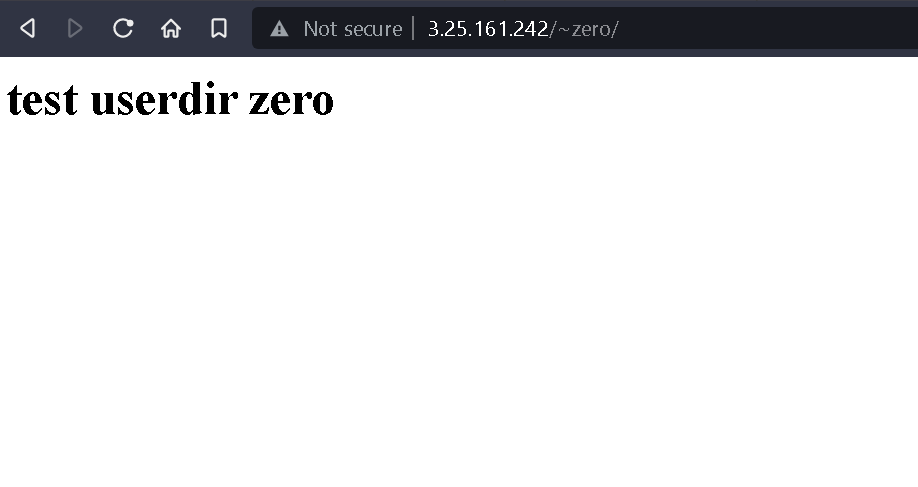
    <h1>test userdir zero</h1>
  </body>
</html>
Test akses dengan cara
http://example.com/~zero
atau
http://ip-server/~zero